Webflow Premium PartnerZero downtimeNo lost rankings
Move to Webflow without losing a ranking, a form submission or a minute of uptime
Four routes onto Webflow, and each one breaks in its own way. What does not change is the method: a redirect map built from your real indexed URLs, page-by-page parity checks before anything switches, and a DNS cutover that happens only once the new site has already been proved.
- +128%bookings lift
- 50+sites shipped
- 4.9★average rating
- $2kpackages from
A migration is three lists, and only one of them is the happy one
Preserve every SEO ranking while gaining speed and content management your marketing team can actually use. Redirect maps and parity checks included. The three columns below are written into the scope before a contract, so the second and third are agreed rather than discovered.
Moves
Carried across as it is, or as close to it as two platforms allow.
- Page copy, headings and document structure
- Blog posts and every other content collection
- Images, PDFs and downloads, re-uploaded rather than hotlinked
- Title tags, meta descriptions and image alt text
- Internal links, repointed to their new destinations
- Structured data, and the URLs themselves wherever they can be kept
Rebuilt
Nothing converts between platforms. These are authored again, deliberately.
- Every layout and every template
- Forms, their notifications, and where submissions are stored
- Navigation, filtering and on-site search
- Whatever the old platform’s apps and plugins were doing
- Interaction and animation
- The CMS structure your team will actually edit
Ends
Named up front, in writing, before a contract: never discovered at cutover.
- Platform features with no Webflow equivalent
- Data owned by an app rather than by you
- Customer passwords, which never transfer from any platform
- Server-side behaviour a static host cannot reproduce
- Historic analytics attached to the old platform’s own reporting
- Any URL you decide is not worth keeping, deliberately, with a 410
The redirect map is the whole of the ranking protection
Every other part of a migration protects the experience. This one part protects the traffic. It is the only artefact in the project a search engine actually reads, and it is built from your own numbers rather than from a sitemap.
Inventory from four sources
A crawl of the live site, the XML sitemap, the indexed pages in Search Console, and the landing pages in analytics. Four sources because no single one of them is complete, the sitemap flatters, the crawl misses orphans, and analytics knows about pages the CMS forgot.
Rank every URL
Sessions, impressions and referring domains against each address. Any URL with one of the three gets an explicit destination and a named owner. The long tail gets a rule rather than a row.
Match, do not dump
One-to-one where the page survives, nearest equivalent where it does not, wildcard where a pattern covers a thousand of them. Nothing is redirected to the homepage in bulk: a search engine reads a mass homepage redirect as a soft 404 and drops the page instead of crediting it.
Retire on purpose
Pages that should not survive are answered with a 410 rather than left to rot as soft 404s, so crawl budget goes to the pages that earn it. Retirement is a decision you sign off, not a side effect of the rebuild.
Load and exercise
Every rule goes into Webflow’s redirect table and is tested against the real URL list on the staging domain, before DNS moves, not after. A rule that was never fired is not a rule, it is a hope.
Watch for weeks, not hours
Search Console coverage and crawl stats, the 404 report, and the referrers still arriving on old addresses. The map is never finished on day one; it is finished when the 404 log goes quiet.
Six rows out of a real map
A map for a mid-sized site runs to hundreds of rows and a handful of wildcards. These six are the shapes every one of them takes.
| Old address | New address | Rule | Why |
|---|---|---|---|
/about-us | /about | 301 · one-to-one | The page survives. The slug is tidied once, and never again. |
/blog/2021/03/old-post | /blog/old-post | 301 · wildcard | One rule covers every dated post rather than one row per post. |
/services/seo-audit | /services/webflow-seo-services | 301 · nearest | The page is gone. The intent behind the query is not. |
/tag/press-releases | /blog | 301 · section | The tag archive has no equivalent. The section it fed does. |
/2019-summer-sale | 410 Gone | Retired | It should not have been indexed for the last four years. |
/contact | /contact | Unchanged | The cheapest ranking protection there is: do not move the URL. |
Parity, checked page by page before the switch
Parity is not "the new page looks like the old one". It is a list, run against every page that matters, and signed off while the old site is still serving traffic.
- Title tag and meta description
- H1 and heading order
- Body copy, in full
- Internal links in and out
- Image alt text
- Canonical tag
- Structured data
- hreflang, where there is any
- XML sitemap and robots.txt
- Analytics and tag containers
- Form endpoints and notifications
- The 404 page itself
And the downtime, specifically
Nothing goes near your domain until the new site is finished on Webflow’s staging domain and has passed parity. The old host keeps serving until the DNS record changes; the TTL is dropped ahead of the switch so propagation is minutes rather than a day, and both hosts answer during the window.
There is no maintenance page, because there is no moment when nothing is live. If a check fails on the day, the change is reverted by putting the old record back, which is the reason the TTL comes down first.
No. Migrations include a full redirect map and parity checks, so every ranking is preserved while the site gains speed and a CMS your marketing team can actually use.
The four sources, answered against the same five questions
The method is identical across all four. Everything that is different is in this table, and each column has its own page underneath it with the detail.
| Question | Squarespace | Wix | Shopify | Custom code |
|---|---|---|---|---|
| Where the URLs come from | Set by the collection an item lives in. Blog, events, products and galleries each impose their own prefix, and the dated blog format changes every post URL again. | Dictated by whichever Wix app owns the page, /post/, /product-page/, /service-page/ and the rest. You did not choose them and you cannot flatten them. | Rigid and predictable, /products/, /collections/, /pages/, /blogs/news/. Helpful for a map, except that one product answers on several collection paths. | Whatever your engineers decided, usually the best set of the four, and occasionally carrying their meaning in a query string, which a redirect rule cannot read. |
| What exports cleanly | One blog page, as WordPress-format XML. Pages, products, events, galleries, album pages and your custom CSS do not come with it. | Almost nothing. There is no full-site export; a store product list is the usual exception. The inventory comes off a crawl of the live site. | Products, variants, images and customer records as CSV. Orders, subscription contracts, passwords and app-owned data do not follow. | Everything, because it is your database. The real question is which of it belongs in a CMS and which of it never did. |
| What always gets rebuilt | Every page. Blocks, summary blocks and index pages have no direct equivalent. They become CMS collections and collection lists. | All of it. Wix layouts are absolutely positioned and the mobile view is a second layout, so nothing converts. It is redrawn. | The storefront, and any operation an app was quietly running. Webflow commerce is not Shopify commerce, and pretending otherwise is how stores lose money. | The front end. Server-side rendering, authorisation, background jobs and search indexes do not move. They keep their own host. |
| The biggest single risk | Treating the export as a backup. It is a partial content dump; the rest is recovered from the live site before anything is switched off. | The redirect map itself. More URLs change shape here than on any other route, so the map is the largest of the four and the least forgiving. | Moving a store that should not move. Subscriptions, POS, multi-location stock and a shelf of apps have no Webflow equivalent. | Finding out after the switch that the site was doing more than it looked like: auth, webhooks, scheduled jobs, a search index, a PDF generator. |
| When to stay where you are | A one-page brochure nobody edits, or a shop already living inside Squarespace Commerce and doing fine. | The business runs on Wix Bookings or Wix Restaurants and nobody wants to re-plumb operations to gain a faster homepage. | Any of those is load-bearing. Then the marketing site moves to Webflow and the checkout does not move at all. | The site is the product, you employ people who ship it every week, or it renders per visitor on the server. |
| The full route | Squarespace to Webflow | Wix to Webflow | Shopify to Webflow | Custom code to Webflow |
Six phases, and the half of each one that is yours
Most projects run four to eight weeks end to end, across discovery, design, build, QA and launch. Timelines hold because the sequence is the same every time. A migration runs the same sequence, with the inventory in front of it and the watching period behind it.
Inventory & audit
Crawl, export, Search Console and analytics pull. You get a URL list with real traffic attached to it, before anyone talks about design.
YoursAccess to the current platform, Search Console, analytics and whoever controls the domain’s DNS.
Architecture
The sitemap for the new site, the CMS collections behind it, and every URL decision written down where you can argue with it.
YoursOne round of feedback on the structure, and a decision on anything being retired.
Design & build
Design in Figma where the site needs one, then the Webflow build on a staging domain your domain never touches.
YoursBrand assets, and copy for anything being written rather than moved.
Content & redirect map
Content into the CMS, assets re-uploaded, redirects written and loaded against the real URL list.
YoursSign-off that nothing important is missing. You know the pages we do not.
Parity & QA
Page-by-page parity checks, browser and device QA, forms and integrations fired end to end.
YoursCheck the pages that make you money, in the way your customers actually use them.
Cutover & watch
TTL dropped ahead of the switch, DNS changed, sitemap submitted, then Search Console and logs watched for weeks.
YoursNothing on the day. Tell us the moment anything looks wrong, however small.
Three builds, and what they prove about a migration
None of the three is a migration off one of the four platforms above, and we are not going to pretend otherwise. What they carry is the standard a migrated site is held to afterwards: architecture designed for search, and figures measured after launch.

Booking sits one tap from every page, and organic traffic was measured after launch rather than promised before it. Defy Facial Spa
Spa & cosmetic 2023
Rebuilt from the treatment menu up, so booking became the shortest path on every page.
- +35%
- organic traffic
- +25%
- bookings
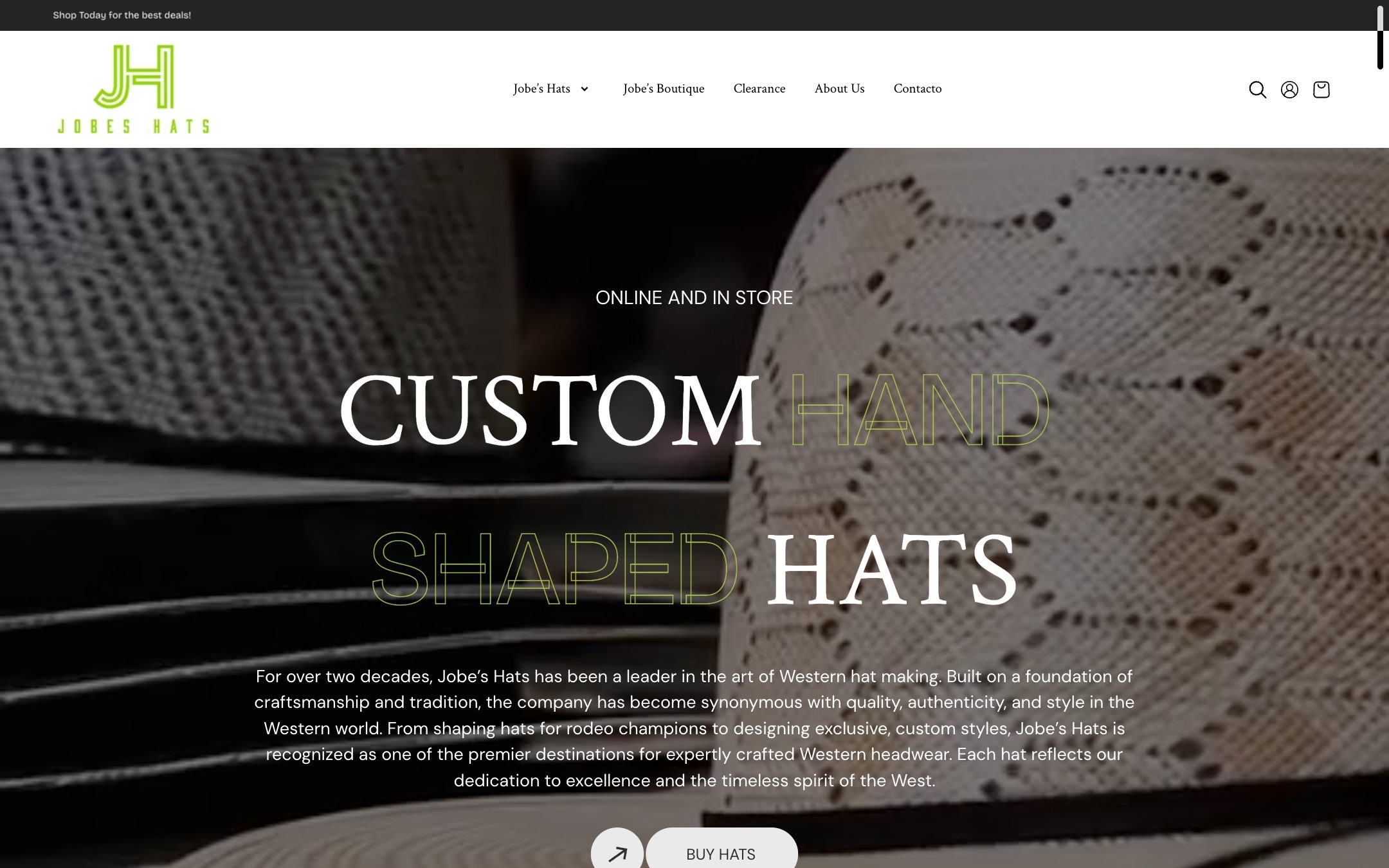
A real catalogue on Webflow, with the collection logic and the buy path rebuilt rather than ported. Jobe's Hats
E-commerce 2024
Faster product pages, cleaner collection logic, and a checkout path with nothing in the way.
- +50%
- sales
- +40%
- revenue

Listing architecture designed for search, the same decision a redirect map forces you to make about every URL. Victory Real Estate Group
Commercial real estate 2024
Listing architecture rebuilt for search, with inquiry forms placed where intent actually peaks.
- +60%
- inquiries
- 0.00
- layout shift
When migrating is the wrong move
We turn migrations down. Not often, but often enough that this list is written from calls rather than from imagination, and you will hear it on the first one, before there is a proposal to defend.
The site is fine and the content is the problem
Moving a thin site to Webflow gives you a fast thin site. If nothing on it answers a question anyone is asking, the platform was never what was wrong.
Nobody will own it afterwards
A CMS your team does not open is the trap you are already in, with a new login. If there is no owner for content after launch, the move buys you a year at most.
The old platform is doing something Webflow cannot
Subscriptions, point of sale, multi-location stock, server-rendered personalisation, an application behind a login. Each of those is a reason to split the site rather than move it.
You are inside your own peak
Nobody cuts a retailer over in November, or an accountant over in the first week of April. The work can start; the DNS change waits for a quiet fortnight.
You are escaping a bad build, not a bad platform
Sometimes the honest answer is that the rebuild is the value and the platform is a detail. We will say that out loud, and it costs you nothing.
If one of those is you, the answer on the call is "not yet", with the reason attached. A migration nobody needed is the most expensive kind.
Pick your platform, or read the argument first
Each route has its own page with the platform’s own hazards on it. If you are not yet sure Webflow is the right destination at all, the comparison for your platform argues both sides.
Squarespace → Webflow
A template decided your layout. The export will not give you your site back.
- Biggest risk
- Treating the export as a backup. It is a partial content dump; the rest is recovered from the live site before anything is switched off.
Wix → Webflow
Wix chose your URLs, and moving means nearly every one of them changes shape.
- Biggest risk
- The redirect map itself. More URLs change shape here than on any other route, so the map is the largest of the four and the least forgiving.
Shopify → Webflow
Some stores should move. Plenty should keep the checkout exactly where it is.
- Biggest risk
- Moving a store that should not move. Subscriptions, POS, multi-location stock and a shelf of apps have no Webflow equivalent.
Custom code → Webflow
The presentation layer can move. Anything that runs on a server cannot.
- Biggest risk
- Finding out after the switch that the site was doing more than it looked like: auth, webhooks, scheduled jobs, a search index, a PDF generator.
Send us the domain. You will get the URL list back before you get a price.
The first thing produced on every migration is the inventory, your pages, ranked by the traffic they actually earn. It is the same document whether you go ahead or not, and it is how you will know we read the site rather than the brief.
- 4supported routes, each with its own page
- 50+sites shipped since 2022
- 4.9★average rating
- 1business day to a reply