Import a site
- 1Drag a site’s folder onto Devdwell
- 2It’s checked and made ready, on a copy
- 3A new card on your dashboard
Early access · Mac, Windows and the web
Devdwell keeps all your websites together. See what’s live at a glance, describe a change and watch it happen beside a live preview, then publish with one button.
We’re letting people in a few at a time.

01The dashboard
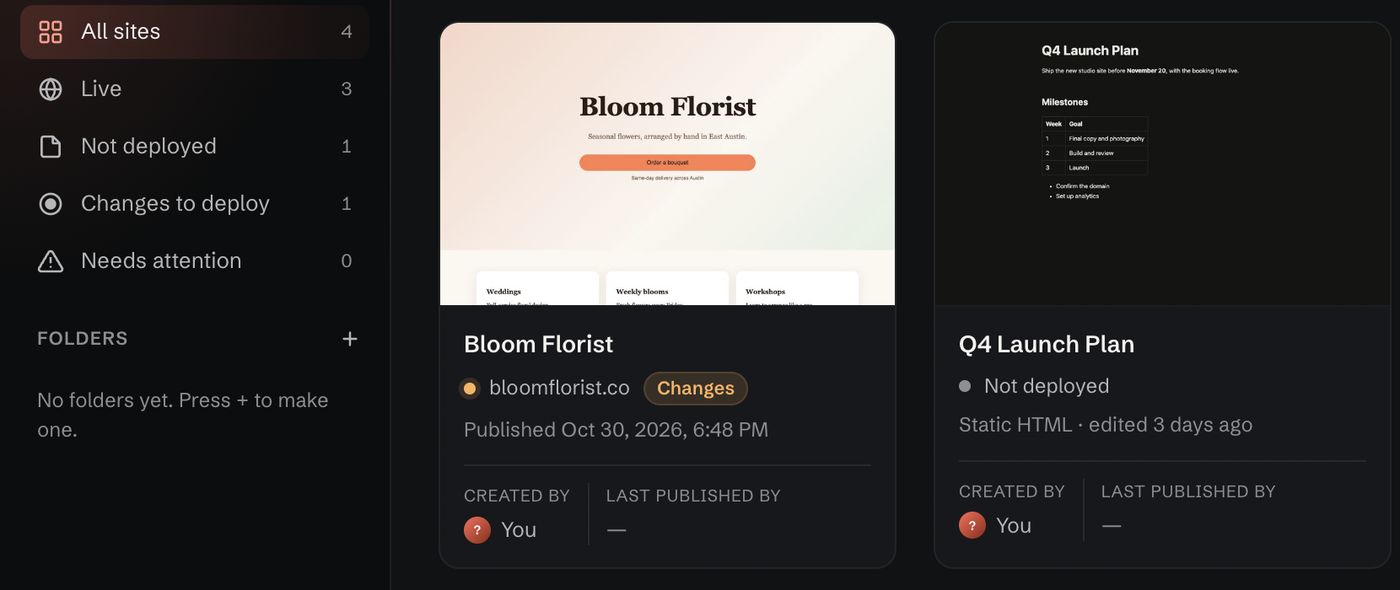
Every site you look after sits on one dashboard, with its address, when it was last published and whether anything is waiting to go out.
It stays right however a site was published, even if it wasn’t from Devdwell.
02Editing
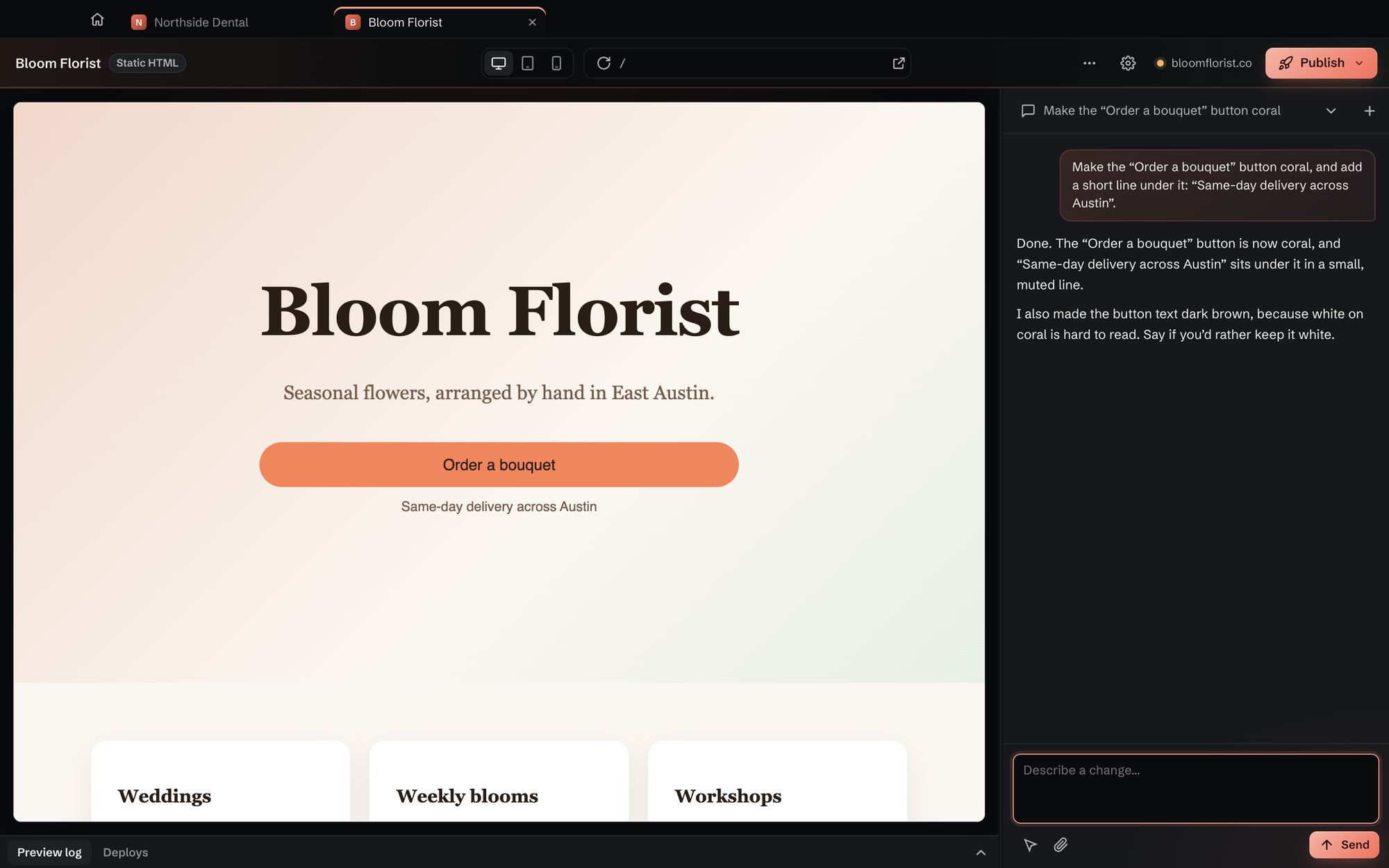
Each site opens in its own tab, with the live preview on one side and the conversation on the other. Say what you want in plain words and the page updates in front of you.
03How it works
Short walk-throughs of the app. Each one plays as you reach it; pick another on the left, or replay it.
04Sharing
Invite a teammate or client by email. They see that site and nothing else, and you decide whether they can publish. Change or remove their access whenever you like.
05Everywhere
Your sites stay in sync. Start on your Mac at the office, carry on from your PC at home, and check in from your phone with the web app.
Open the web appAnyone who builds websites and has more than one to look after: freelancers, studios, small teams and founders.
No. You describe changes in plain words, or click the part of the page you mean. If you do code, your sites are ordinary website files you can open in any editor.
Request early access. We read every request and email you a download link when your place is ready.
Macs with Apple silicon (M1 or later) and PCs with Windows 10 or 11. The web app works in any modern browser, including on your phone.
Yes. Invite them by email to a single site. They only see that site, and you choose whether they can edit, or edit and publish. You can change or remove their access at any time.
Yes. Open www.app.devdwell.com in your phone’s browser and sign in to see your synced sites and what’s live.
Yes. Import a folder or a downloaded file and Devdwell gets it ready to edit and publish. If anything needs fixing, it works on a copy, so your original stays as it was.
Nothing. They’re ordinary website files on your computer, and published sites stay online where they are.

Devdwell is in early access for Mac and Windows, with the web app for everywhere else. Tell us a little about how you build and we’ll be in touch.