 Devdwell
In short
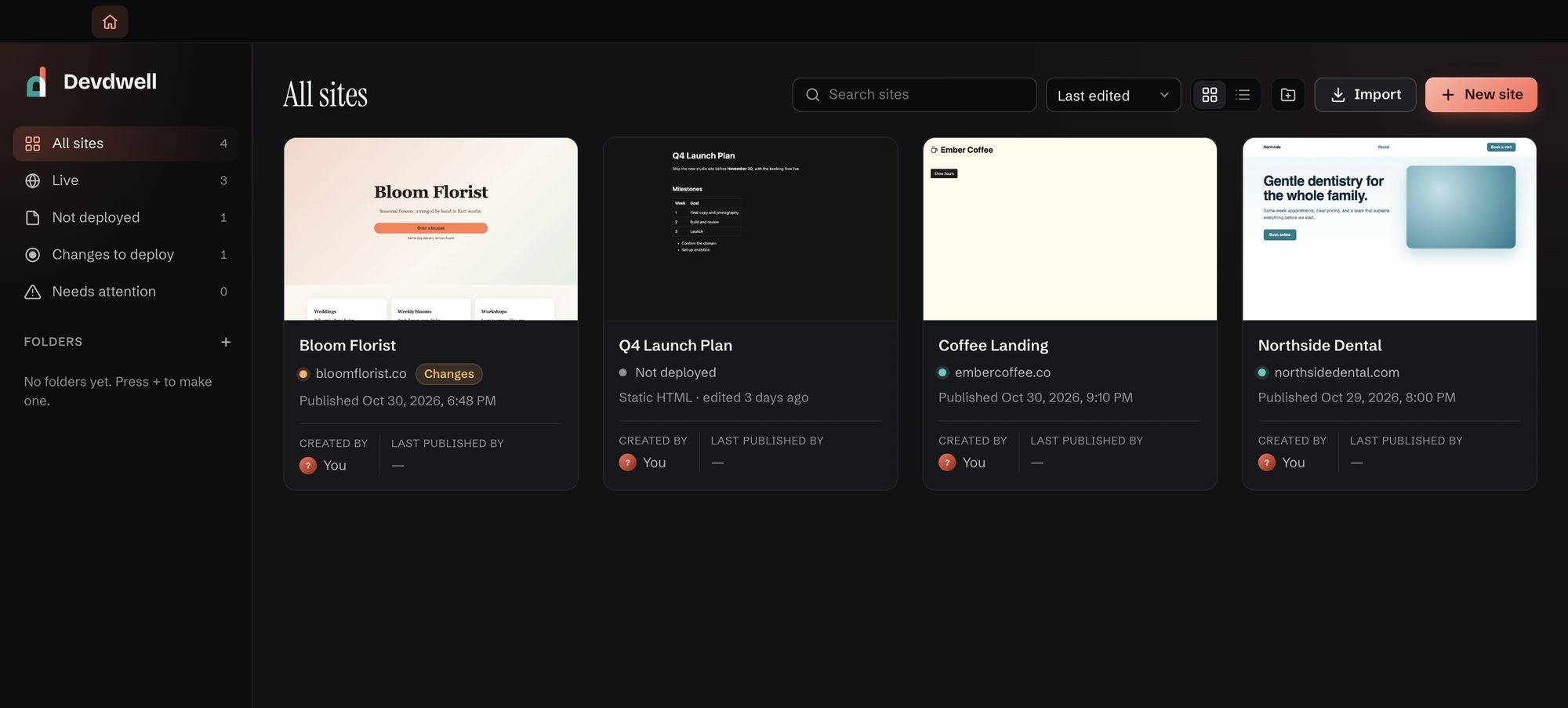
Devdwell’s dashboard is a single screen of all your websites. It sorts them by status (live, changes waiting, not published yet, needs attention), shows each site’s address and last publish, and stays right even when a site was published without Devdwell.
What each card tells you
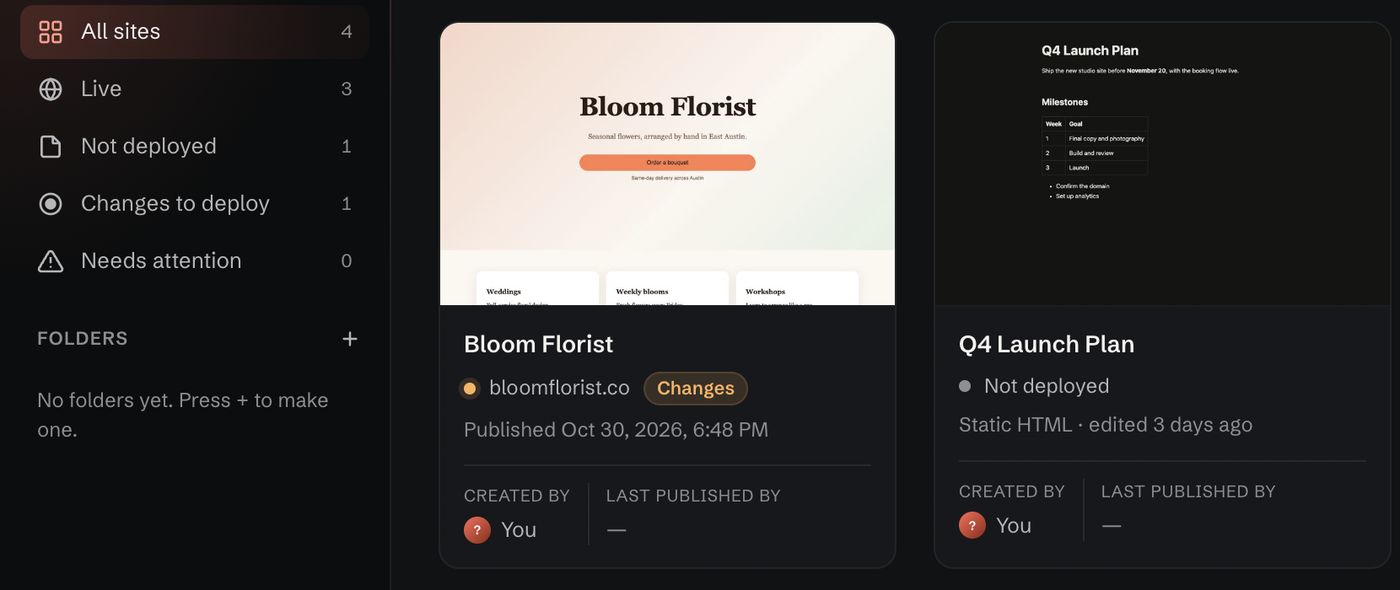
A card is a small picture of the site, its name, the address it lives at and when it was last published. The dot beside the address is its status:
- LivePublished and online, with its address on the card.
- Changes waitingEdited since the last publish, so you don’t forget to put it live.
- Not published yetOnly on your computer, so far.
- Needs attentionSomething stopped it working, and the card says what.
The sidebar counts each status, so “3 live, 1 with changes waiting” is the first thing you see in the morning. Click a count to see only those sites.
It knows what’s live, however you published
The status doesn’t only come from Devdwell’s own Publish button. Devdwell checks the hosting itself, so a site you or a teammate put live another way, from a code editor for example, still shows as live. If it can’t find an address for a site that is online, it still shows the site as live rather than guessing “not published”.
Folders, search and filters
- Folders group sites the way you think about them: Clients, Personal, one folder per client.
- Search in the web app finds a site by name or address.
- Filters show only live sites, only sites shared with you, or one folder.
Open a site from its card
Click a card and the site opens in its own tab beside a live preview, ready to change. Open a few and switch between them like browser tabs; see editing.
Bring in the sites you already have
Import a site’s folder or a downloaded file and it becomes a new card, checked and ready to publish. Devdwell works on a copy, so your original stays as it was. The import guide goes through it step by step.
Questions
Does the dashboard work for sites I didn’t build in Devdwell?
Yes. Import any site you have as files, from a folder or a downloaded file, and it gets a card like any other.
How does Devdwell know a site is live?
It checks the hosting each site is published to, rather than only remembering what its own Publish button did, so publishing another way counts too.
Can I see the dashboard on my phone?
Yes. The web app at devdwell.com/app shows the same sites and statuses, synced from your computer.